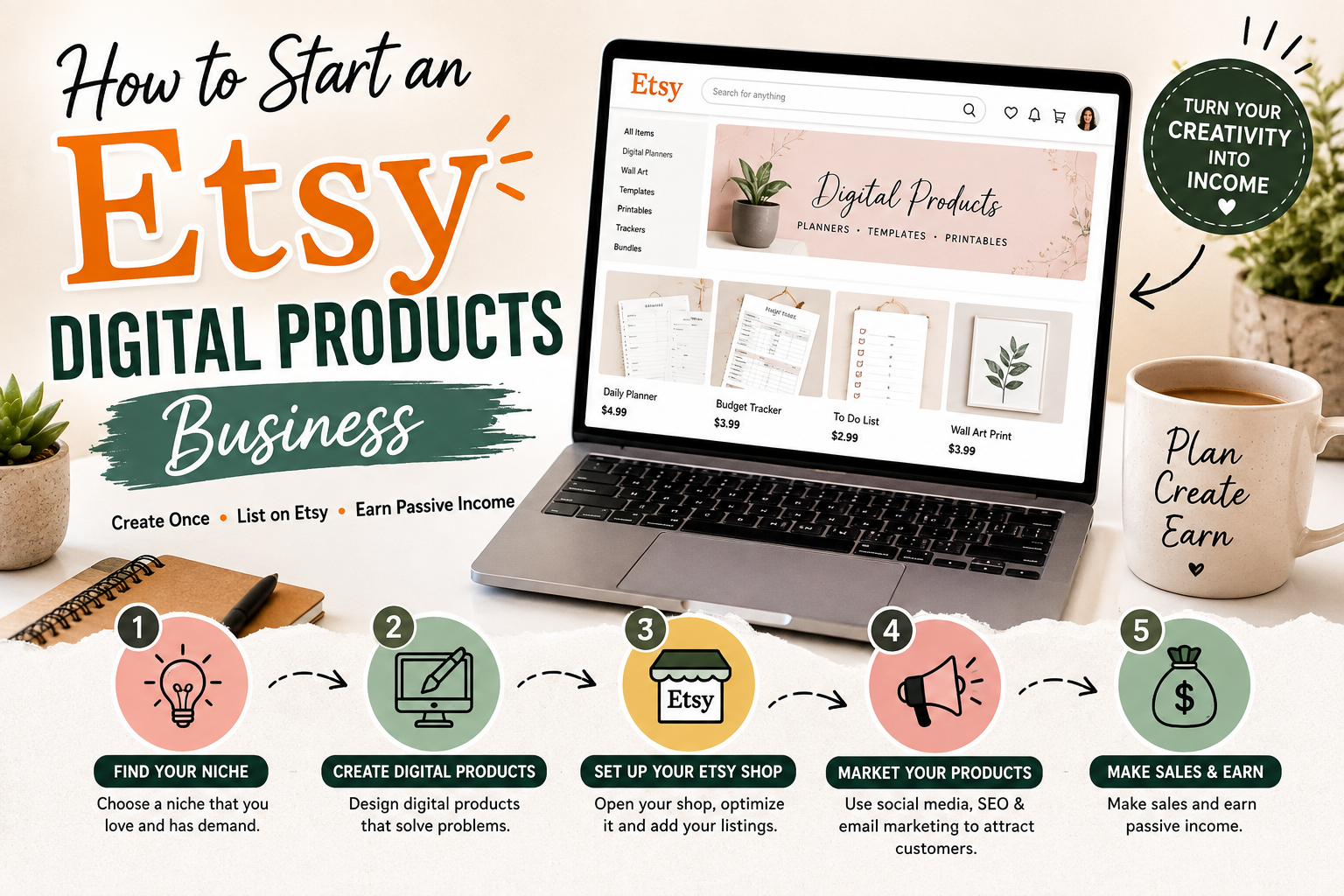
How to Start an Etsy Digital Products Business
How to Start an Etsy Digital Products Business
Introduction
Starting an online business does not always mean buying inventory, renting a shop, or spending a large amount of money upfront. One increasingly popular option is selling digital products. Unlike physical products, digital products can be created once and sold repeatedly without worrying about packaging, storage, or shipping.
One platform that has attracted many digital product sellers is Etsy. With the right product idea, attractive listings, useful designs, and a clear marketing strategy, an Etsy shop can become a potential source of online income.
If you are wondering how to start an Etsy digital products business, this guide will walk you through the process from choosing a product idea to creating your shop, listing your products, attracting customers, and improving your sales.
Important: Etsy’s fees, seller requirements, policies, and available features can change. Always check Etsy’s official resources before opening or operating your shop.
What Are Etsy Digital Products?
Digital products are files that customers purchase online and download rather than receive as physical packages.
Some popular examples include:
- Printable planners
- Budget spreadsheets
- Digital invitations
- Wall art
- Wedding templates
- Resume templates
- Business templates
- Social media templates
- Study planners
- Checklists
- Calendars
- Digital stickers
- SVG files
- Craft templates
For example, instead of printing a wedding invitation and shipping it to a customer, you could create an editable invitation template. The customer purchases the digital product, downloads the file, and uses it according to the product’s instructions.
You can learn more about selling digital items directly from Etsy’s Seller Handbook, which provides resources and guidance for Etsy sellers.
Step 1: Choose a Specific Digital Product Niche
The first step is deciding what you want to sell.
A common mistake is trying to create every type of digital product at once. It is usually better to start with a specific audience and solve a particular problem.
For example, instead of simply selling “printables,” you could focus on:
Digital planners for busy professionals
Wedding templates for brides
Budget spreadsheets for families
Study planners for college students
Social media templates for small businesses
Having a specific niche can make it easier to understand your customers and create products they actually want.
Think about problems people regularly face. A good digital product often saves time, organizes information, makes something look better, or makes a complicated task easier.
Step 2: Research What Customers Want
Before spending hours creating products, research the market.
Search Etsy for products related to your niche and study what sellers are offering. Look at product titles, thumbnails, descriptions, reviews, and the different variations available.
Do not simply copy another seller’s product. Instead, use your research to identify opportunities.
Ask yourself:
What are customers buying?
What features do popular products include?
What complaints appear in customer reviews?
Can I create something easier to use or better organized?
Customer reviews can be particularly useful because they can reveal what buyers appreciate and what they wish products did better.
Step 3: Create Your Digital Product
Once you have an idea, it is time to create the actual product.
The software you use depends on what you are selling.
For graphic designs and templates, Canva is a popular design platform. For spreadsheets, you can use Google Sheets or Microsoft Excel. For documents, you can use tools such as Microsoft Word or Google Docs.
If you create editable templates, make sure your instructions clearly explain how customers can access and use the files.
Quality matters. Check spelling, alignment, formatting, file sizes, and usability before publishing your product.
A digital product that looks attractive but is difficult to use can quickly lead to unhappy customers.
Step 4: Understand Etsy’s Digital Product Rules
Before listing anything, read Etsy’s policies.
Etsy has specific rules about what sellers can offer and how digital items work. You should review the Etsy House Rules and Etsy Seller Policy before opening your shop.
You should also make sure that you have the legal right to use every element included in your product.
Do not use copyrighted characters, logos, photographs, fonts, graphics, or other protected material unless you have the appropriate rights or license.
This is particularly important when creating digital products because copying an existing design can lead to intellectual-property problems.
Step 5: Open Your Etsy Shop
After choosing your niche and creating your first products, you can set up your Etsy shop through Etsy.
You will need to provide information required by Etsy during the shop-opening process. Depending on your location and circumstances, Etsy may require identity, payment, tax, or other verification information.
Choose a shop name that is simple, memorable, and relevant to your brand.
You should also create a professional shop profile and provide clear information about what you sell.
Do not worry about making everything perfect on the first day. Your shop can improve as you learn more about your customers.
Step 6: Create an SEO-Friendly Etsy Listing
Your listing is one of the most important parts of selling digital products.
When creating a listing, think about what words a potential customer might type when searching for your product.
For example, instead of using a vague title such as:
“Cute Planner”
you could make the title more descriptive:
“Printable Weekly Planner for Busy Professionals | Digital Productivity Planner”
Your title should accurately describe the product rather than simply stuffing it with keywords.
Etsy also provides guidance for sellers about search and listing optimization through its Seller Handbook.
Step 7: Use Attractive Product Images
Digital products do not have physical packaging, so your listing images need to communicate the product clearly.
Create attractive mockups that show customers what they are purchasing.
For example, if you sell a printable planner, show several pages rather than displaying only the product’s cover.
You can include images that explain:
- What is included
- How many pages or files are included
- File formats
- How the customer receives the product
- How the product can be used
- Whether the item is editable
- Important compatibility information
Make sure your images are clear and easy to understand, especially when viewed on a mobile device.
Step 8: Write a Clear Product Description
Your description should answer the questions customers are likely to have before buying.
Explain exactly what the customer receives.
For example:
What’s included:
- 1 printable planner
- PDF file
- Multiple page designs
- Printing instructions
If your product is a template, explain whether customers need specific software or an account to edit it.
Avoid making promises that your product cannot fulfill.
A clear description can reduce confusion and help customers decide whether the product is right for them.
Step 9: Price Your Digital Products Carefully
Pricing can be difficult for beginners.
Because digital products do not have physical manufacturing or shipping costs, it may be tempting to price everything extremely cheaply.
However, extremely low prices are not always the best strategy.
Consider the time you spent researching, designing, testing, and improving the product. Also consider the value it provides to the customer.
Research similar products on Etsy to understand the market range, but do not automatically copy competitors’ prices.
Your pricing should also account for Etsy’s applicable fees and other business expenses. Check Etsy’s official fees information for current details because fees can change.
Step 10: Promote Your Etsy Shop
Opening a shop does not guarantee sales.
You need to bring attention to your products.
Pinterest can be useful for visually driven products such as planners, wedding templates, wall art, and invitations. You can learn more about Pinterest’s business tools through Pinterest Business.
You can also promote your products through Instagram, TikTok, YouTube, Facebook, blogs, email marketing, or other channels where your potential customers spend time.
For example, if you sell wedding templates, you could create short videos showing how your invitation designs work.
Instead of repeatedly posting “Buy my product,” create useful content around the problem your product solves.
Step 11: Create More Products
Once you have your first few products, do not stop.
A successful digital product shop can have a collection of related products.
For example, if you start with a budget planner, you could eventually create:
Monthly budget planner
Debt payoff tracker
Savings challenge
Expense tracker
Family finance planner
You can also create bundles that combine related products into one package.
This approach gives customers more options and allows you to understand which types of products receive the most attention.
Common Mistakes to Avoid
One common mistake is creating products without researching whether customers actually want them.
Another mistake is using low-quality graphics or confusing instructions. A digital product should be easy to understand and use.
Some beginners also use copyrighted content without permission. Avoid using other people’s designs, images, logos, characters, or written content unless you have the necessary rights.
Another problem is expecting immediate sales. It can take time for a new shop to build visibility, collect reviews, and understand which products perform best.
Finally, do not create misleading listings. Customers should know exactly what they are buying before they pay.
How Much Can You Make Selling Digital Products on Etsy?
There is no guaranteed income from an Etsy digital products business.
Some sellers may earn a modest side income, while others may build larger businesses. Results depend on product demand, pricing, listing quality, competition, traffic, customer experience, and marketing.
For example, selling a $5 product requires many more sales to reach a specific revenue goal than selling a $25 bundle. However, a more expensive product may also require stronger perceived value.
The goal should not simply be to upload hundreds of files. Focus on creating products that customers genuinely find useful.
Final Thoughts
Learning how to start an Etsy digital products business can be a practical way to explore online entrepreneurship without dealing with physical inventory.
Start with one specific niche, research what customers need, create high-quality digital products, and build professional Etsy listings. Use clear descriptions, attractive images, relevant keywords, and honest product information.
Once your first products are live, pay attention to customer questions and feedback. These can give you ideas for improving existing products and creating new ones.
Most importantly, treat your Etsy shop like a real business rather than a quick-money experiment. Your first product may not become a bestseller, and that is perfectly normal. Keep learning, testing different ideas, improving your listings, and creating products that solve real problems.
With patience and consistent effort, an Etsy digital products business can become a potential source of recurring online sales without the traditional challenges of physical inventory and shipping.
For more: click here