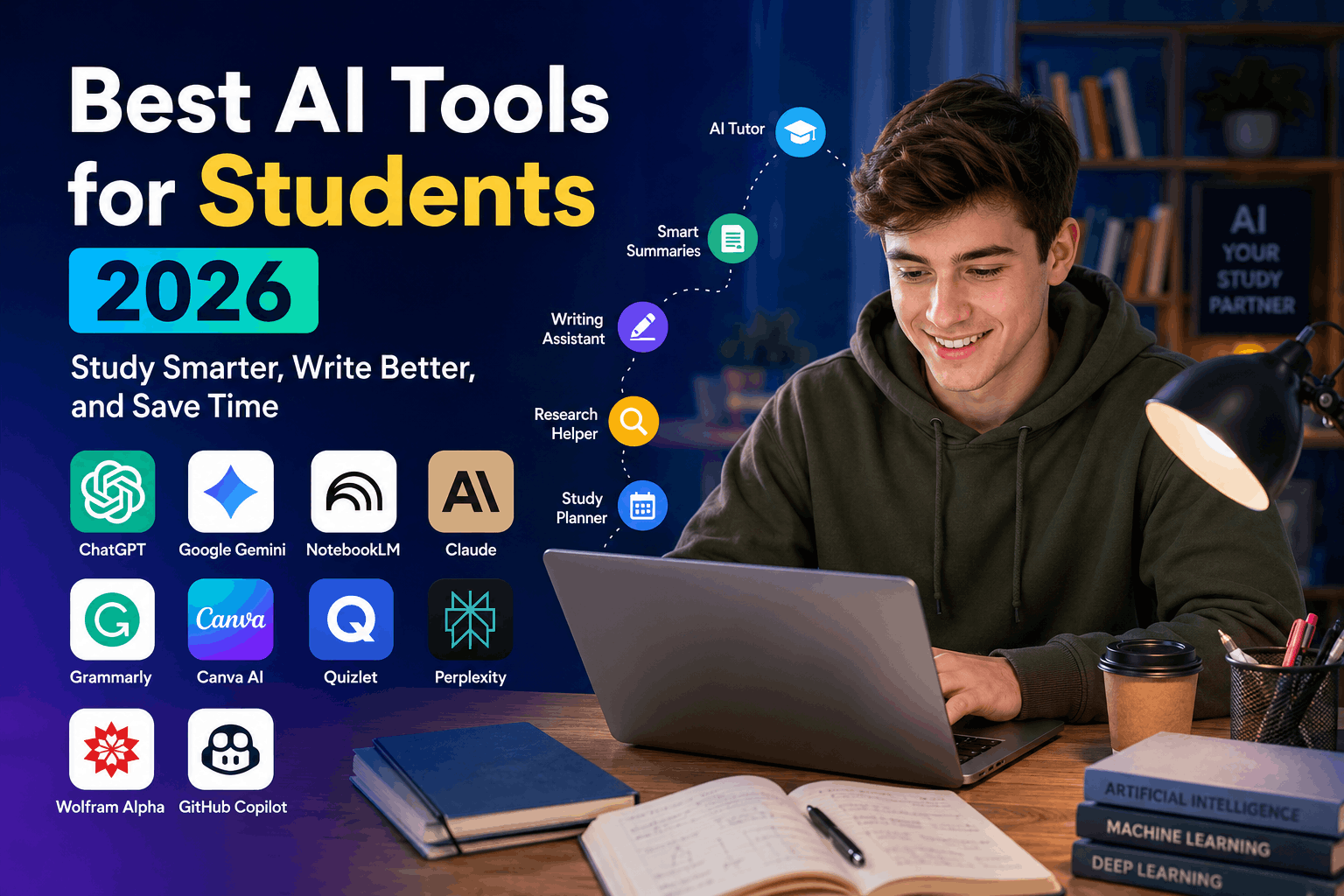
Best AI Tools for Students in 2026
Best AI Tools for Students in 2026: Study Smarter, Write Better, and Save Time
Author: Tariq
Published on: Voozon
Artificial intelligence has changed the way students study, research, write assignments, prepare presentations, learn languages, and revise for examinations. In 2026, AI tools are no longer limited to answering simple questions. Many platforms can now create personalized study plans, explain difficult concepts, generate quizzes, analyze uploaded notes, improve academic writing, and help students organize large research projects.
However, using AI effectively does not mean asking a chatbot to complete every assignment. The most successful students use AI as a tutor, research assistant, writing coach, and productivity partner. They still verify information, follow their institution’s academic-integrity rules, and develop their own understanding.
In this guide, Voozon reviews the best AI tools for students in 2026, including their main features, ideal use cases, advantages, limitations, and practical ways to use them responsibly.
Quick Comparison of the Best AI Tools for Students
| AI Tool | Best For | Free Option | Main Strength |
|---|---|---|---|
| ChatGPT | General studying and explanations | Yes | Versatile learning assistant |
| Google Gemini | Guided learning and Google integration | Yes | Interactive and visual learning |
| NotebookLM | Studying from personal notes and sources | Yes | Source-grounded answers |
| Claude | Long documents and thoughtful explanations | Yes | Clear analysis and writing support |
| Perplexity | Research with citations | Yes | Fast source discovery |
| Grammarly | Grammar and academic writing | Yes | Proofreading and clarity |
| Canva AI | Presentations and visual projects | Yes | Easy visual content creation |
| Quizlet | Flashcards and exam revision | Yes | Active recall and practice |
| Wolfram Alpha | Mathematics and science | Limited | Structured calculations |
| GitHub Copilot | Programming and coding practice | Limited | In-editor coding assistance |
1. ChatGPT — Best Overall AI Tool for Students
ChatGPT is one of the most flexible AI tools available to students. It can explain complicated topics, create revision questions, summarize text, help organize ideas, simulate interviews, provide coding guidance, and offer feedback on writing.
Students can also use voice conversations to brainstorm or practise explaining a subject aloud. OpenAI describes ChatGPT as a tool that can help users explore ideas, solve problems, learn faster, and hold real-time voice conversations.
Best Uses for Students
- Explaining difficult topics in simple language
- Creating personalized quizzes
- Developing assignment outlines
- Practising foreign-language conversations
- Reviewing code and identifying errors
- Preparing for interviews or oral examinations
- Turning class notes into revision plans
Example Prompt
“Act as a patient biology tutor. Explain cellular respiration to a first-year college student. Use a simple analogy, then ask me five questions to test my understanding.”
This type of prompt encourages the AI to teach rather than simply provide a final answer.
Advantages
ChatGPT works across many subjects and can adjust explanations to different learning levels. Students can ask follow-up questions without repeating the complete context. It is especially useful when a textbook explanation feels too technical.
Limitations
ChatGPT can occasionally provide inaccurate, incomplete, or outdated information. Students should verify important facts through textbooks, academic databases, official sources, or their teachers. It should not be treated as an unquestionable authority.
Verdict
ChatGPT is the best all-purpose option for students who want one tool for studying, brainstorming, writing support, coding, and general productivity.
2. Google Gemini — Best for Guided and Visual Learning
Google Gemini is a strong choice for students who already use Google products such as Gmail, Docs, Drive, and Classroom. Its student features focus heavily on guided learning instead of simply giving instant answers.
Google says Gemini’s Guided Learning mode breaks topics into manageable steps, asks questions, adapts explanations to the learner, and can include images, diagrams, videos, and interactive quizzes.
In 2026, Google also expanded student-focused features such as study notebooks, personalized lessons, practice tests, progress tracking, custom quizzes, and tools for writing, presentations, coding, and career preparation.
Best Uses for Students
- Learning science with diagrams and visual explanations
- Creating personalized quizzes
- Studying through guided questions
- Improving presentations in Google Workspace
- Practising for standardized tests
- Refining writing through Canvas
- Preparing resumes and mock interviews
Example Prompt
“Teach me Newton’s laws using Guided Learning. Do not give me all the answers immediately. Ask questions and help me discover each law step by step.”
Advantages
Gemini is particularly useful for visual learners. Its integration with Google’s ecosystem may also make it convenient for students whose schools use Google Workspace.
Limitations
Some advanced capabilities may depend on the student’s country, school account, age, or subscription. AI-generated summaries and explanations still require verification.
Verdict
Gemini is one of the best AI study tools in 2026 for students who prefer interactive lessons, visual explanations, and Google Workspace integration.
3. NotebookLM — Best for Notes, Lectures, and Exam Preparation
NotebookLM is one of the most useful tools for students working with their own study materials. Instead of relying mainly on general internet knowledge, it allows users to upload sources such as lecture notes, PDFs, research papers, websites, audio, and other class materials.
NotebookLM can use these sources to create study guides, summaries, flashcards, quizzes, mind maps, outlines, and Audio Overviews. It can also answer questions while showing citations linked to the uploaded material.
Best Uses for Students
- Summarizing long lecture notes
- Reviewing multiple research papers
- Creating flashcards from class material
- Producing practice quizzes
- Comparing ideas across several sources
- Generating study guides before exams
- Listening to Audio Overviews while travelling
Example Workflow
A student preparing for a history examination could upload lecture slides, textbook chapters, and class notes. The student could then ask NotebookLM to:
- Identify the most important themes.
- Build a seven-day revision schedule.
- Create 30 flashcards.
- Generate an exam-style quiz.
- Explain weak areas in simple language.
Advantages
Its greatest strength is source grounding. Because it works with materials selected by the student, its responses can be easier to verify than unsupported chatbot answers.
Limitations
The quality of its output depends heavily on the quality of the uploaded sources. Missing or incorrect class material can lead to incomplete answers.
Verdict
NotebookLM is arguably the best AI tool for students who need to turn a large collection of notes and readings into organized revision material.
4. Claude — Best for Long Documents and Deep Explanations
Claude is particularly helpful for reading, analyzing, and discussing long or complicated material. Students can use it to understand academic papers, improve arguments, create study questions, evaluate an outline, or receive feedback on their reasoning.
Anthropic’s education offering includes a learning mode designed to behave more like a tutor by asking questions that help students reach answers themselves. Claude for Education is also designed for higher-education use, including learning, research, and administration.
Anthropic says students can use Claude for activities such as generating research questions and analyzing academic papers.
Best Uses for Students
- Analyzing lengthy PDFs
- Understanding academic arguments
- Receiving feedback on essays
- Comparing theories or viewpoints
- Developing research questions
- Improving logical structure
- Exploring ethical or philosophical topics
Example Prompt
“Read this research paper and explain its research question, methodology, findings, limitations, and possible future research. Separate facts from your own interpretation.”
Advantages
Claude often performs well when a student needs a calm, structured explanation or wants to examine a topic in depth.
Limitations
Like every generative AI system, Claude can make mistakes. Students should read the original document rather than relying entirely on an AI-generated analysis.
Verdict
Claude is an excellent choice for university students, researchers, and anyone working with long documents or complex written arguments.
5. Perplexity — Best AI Tool for Research and Source Discovery
Perplexity combines conversational AI with web research. Its major advantage is that answers are generally presented with links or citations, allowing students to inspect the underlying sources.
Perplexity describes its education product as an answer engine that provides sourced and cited responses. Its Education Pro plan also includes features such as Learn Mode, advanced searches, file uploads, and access to premium models for verified students and educators.
Best Uses for Students
- Finding starting sources for a research project
- Exploring recent events
- Comparing several viewpoints
- Locating statistics and reports
- Building a preliminary reading list
- Understanding unfamiliar terminology
- Researching topics that change frequently
Important Research Tip
Do not cite Perplexity itself as the final academic source unless your institution permits it. Open the original links, evaluate their credibility, read the relevant passages, and cite the actual journal, report, book, or official website.
Advantages
Perplexity can save time during the discovery stage of research. It is often more useful than a traditional search engine when a student needs an overview with supporting links.
Limitations
A citation does not automatically make a claim accurate. Sources may be outdated, weak, misinterpreted, or unrelated to the exact sentence they appear to support.
Verdict
Perplexity is best used as a research starting point, not as a replacement for academic databases or careful source evaluation.
6. Grammarly — Best for Grammar and Academic Writing
Grammarly remains one of the most popular writing assistants for students. It checks spelling, grammar, punctuation, clarity, style, sentence structure, and tone.
Its student tools can also support brainstorming, researching, outlining, rewriting, and proofreading. Grammarly emphasizes that its education products are intended to promote responsible and transparent AI use.
Best Uses for Students
- Correcting grammar and punctuation
- Making sentences clearer
- Reducing repetition
- Improving academic tone
- Reviewing emails to teachers
- Polishing scholarship applications
- Checking whether paragraphs flow logically
Example Use
Write your first draft independently. Then use Grammarly to identify unclear sentences and repeated wording. Review every suggestion rather than accepting all changes automatically.
Advantages
Grammarly works directly inside many writing environments, making it convenient for essays, emails, reports, and applications.
Limitations
Not every suggestion improves the writing. Automated rewriting can sometimes remove the student’s natural voice or change the intended meaning.
Verdict
Grammarly is best used as an editor and writing coach, not as a substitute for developing genuine writing ability.
7. Canva AI — Best for Presentations and Visual Assignments
Canva is useful for students creating presentations, posters, infographics, videos, resumes, reports, and group-project materials. Its AI tools can assist with layouts, writing, images, animation, and design changes.
Canva’s education resources highlight features such as Magic Write, Magic Design for Presentations, Magic Media, Magic Animate, and Magic Switch. Canva AI also provides conversational design assistance and includes a range of tools on its free plan, although usage limits may apply.
Best Uses for Students
- Creating class presentations
- Designing infographics
- Making research posters
- Producing social-media projects
- Building visual resumes
- Creating educational videos
- Converting written information into visual formats
Advantages
Canva helps students without professional design experience create attractive, organized visual content quickly.
Limitations
AI-generated images may contain visual errors. Students should also check copyright, licensing, disclosure, and assignment rules before using generated media.
Verdict
Canva AI is the best option for students who need professional-looking visual projects without learning complicated design software.
8. Quizlet — Best for Flashcards and Active Recall
Quizlet is widely used for memorization and exam revision. Students can create digital flashcards, practise definitions, take quizzes, and review material repeatedly.
Its greatest educational value comes from active recall and spaced review. Instead of simply rereading notes, students attempt to retrieve information from memory.
Best Uses for Students
- Vocabulary learning
- Medical terminology
- Historical dates
- Scientific definitions
- Language study
- Formula revision
- Quick exam preparation
Advantages
Quizlet makes repetition more engaging and helps students identify which terms they have not yet mastered.
Limitations
Flashcards are less effective for subjects requiring extended reasoning unless they are combined with problem solving, written explanations, and practice questions.
Verdict
Quizlet is an excellent companion for memory-heavy subjects, especially when students create and review their own accurate flashcards.
9. Wolfram Alpha — Best for Mathematics and Science
Wolfram Alpha is a computational knowledge engine rather than a general chatbot. It is useful for mathematics, physics, chemistry, statistics, engineering, and data-related questions.
Best Uses for Students
- Solving equations
- Checking calculations
- Plotting graphs
- Working with units
- Exploring mathematical functions
- Analyzing statistics
- Reviewing scientific formulas
Advantages
Wolfram Alpha provides structured computational results and is more specialized than a general-purpose AI assistant.
Limitations
Students can become dependent on final answers. The best approach is to attempt the problem first, compare the result, and study the method.
Verdict
It is one of the most valuable tools for STEM students, provided it is used to learn the process rather than bypass it.
10. GitHub Copilot — Best for Coding Students
GitHub Copilot assists programmers by suggesting code, explaining functions, generating tests, helping with documentation, and supporting debugging inside development environments.
Best Uses for Students
- Understanding unfamiliar code
- Generating practice examples
- Finding possible bugs
- Writing unit tests
- Learning syntax
- Creating documentation
- Comparing alternative solutions
Advantages
Because it works inside coding environments, students can receive suggestions while building real projects.
Limitations
Suggested code may be inefficient, insecure, incorrect, or beyond the student’s understanding. Every suggestion should be tested and reviewed carefully.
Verdict
GitHub Copilot can accelerate programming practice, but students should never submit code they cannot explain.
How to Choose the Right AI Tool
The best tool depends on the task.
Choose ChatGPT for general learning, brainstorming, and tutoring.
Choose Gemini for guided lessons, visual explanations, and Google integration.
Choose NotebookLM when studying from lecture notes, textbooks, or uploaded sources.
Choose Claude for long documents and detailed academic analysis.
Choose Perplexity when discovering recent sources and researching current topics.
Choose Grammarly for proofreading and improving written communication.
Choose Canva AI for presentations, posters, and visual projects.
Choose Quizlet for flashcards and active recall.
Choose Wolfram Alpha for mathematics and scientific calculations.
Choose GitHub Copilot for coding practice and software projects.
Most students do not need every tool. A simple combination such as ChatGPT, NotebookLM, Grammarly, and Canva may cover the majority of everyday academic tasks.
How Students Can Use AI Responsibly
AI can improve learning, but careless use can create academic, ethical, and privacy problems.
1. Follow Your School’s Rules
Different teachers and institutions have different AI policies. Some allow AI for brainstorming but not drafting. Others require students to disclose how AI was used.
2. Never Submit Unverified AI Output
AI systems can invent quotations, statistics, references, laws, historical details, and scientific claims. Verify important information using credible original sources.
3. Protect Personal Information
Do not upload confidential student records, private conversations, unpublished research, identification documents, medical details, or restricted institutional material.
4. Preserve Your Own Voice
Use AI to improve your thinking, not erase your personality. Rewrite suggestions in your own words and ensure that you understand every claim.
5. Ask AI to Teach, Not Cheat
A useful prompt says:
“Guide me through this problem and ask questions.”
A harmful learning habit says:
“Complete the entire assignment so I can submit it.”
6. Check Citations Manually
Never assume that an AI-generated reference exists. Search for the paper, confirm the author and publication, and read the relevant section.
7. Disclose AI Use When Required
Transparency can protect students from academic-integrity concerns. Keep a record of prompts, drafts, sources, and edits when appropriate.
Useful AI Prompts for Students
For Learning a New Topic
“Explain this topic at beginner, intermediate, and advanced levels. Include an analogy and test me with five questions.”
For Exam Revision
“Create a seven-day revision plan based on these topics. Give extra time to the most difficult chapters and include daily quizzes.”
For Research
“Suggest research questions about this topic. For each question, explain why it matters and what evidence would be required.”
For Essay Feedback
“Review my essay without rewriting it. Identify weaknesses in the thesis, evidence, organization, and clarity. Ask me questions that will help me improve it.”
For Mathematics
“Do not give me the final answer immediately. Show the first step, ask me to continue, and correct my reasoning when necessary.”
For Coding
“Explain this code line by line. Identify possible bugs, but let me attempt the correction before showing a complete solution.”
Frequently Asked Questions
What is the best AI tool for students in 2026?
ChatGPT is the best general-purpose option because it supports explanations, brainstorming, revision, writing, coding, and interactive tutoring. However, NotebookLM may be better for studying uploaded notes, while Perplexity may be better for source discovery.
What is the best free AI tool for students?
Several platforms provide free access, including ChatGPT, Gemini, NotebookLM, Grammarly, Canva, Claude, Perplexity, and Quizlet. Free plans usually include usage limits or fewer advanced features.
Can students use AI for assignments?
Students can use AI when their teacher or institution permits it. Acceptable uses may include brainstorming, outlining, proofreading, generating practice questions, or receiving feedback. Submitting AI-generated work as entirely original may violate academic-integrity rules.
Which AI tool is best for research papers?
NotebookLM is excellent for analyzing a student’s selected materials, Claude is useful for long papers, and Perplexity is useful for discovering sources. Students should still use academic databases and verify every reference.
Which AI tool is best for writing?
Grammarly is strong for grammar, clarity, and proofreading. ChatGPT and Claude can help with structure and feedback. Students should write the core ideas themselves and use AI as an editor.
Which AI tool is best for exam preparation?
NotebookLM and Quizlet are strong choices for flashcards, quizzes, summaries, and revision. Gemini’s guided learning features can also help students understand weak areas through interactive lessons.
Can AI tools provide incorrect information?
Yes. Every AI tool can produce mistakes or unsupported claims. Students should verify important information using textbooks, academic publications, official websites, and qualified instructors.
Final Thoughts
The best AI tools for students in 2026 are not simply shortcuts for finishing assignments. Used correctly, they can make learning more personalized, interactive, organized, and accessible.
ChatGPT and Gemini are excellent general learning assistants. NotebookLM transforms personal study materials into useful revision resources. Claude supports deep reading and thoughtful analysis. Perplexity helps students discover sources, while Grammarly improves writing and Canva simplifies visual projects.
The key is responsible use. Students should question AI-generated answers, verify facts, protect their privacy, follow academic policies, and ensure that technology strengthens rather than replaces their thinking.
AI can save time, but genuine understanding still requires curiosity, practice, reflection, and effort. Students who combine those qualities with the right AI tools will be better prepared for both academic success and the technology-driven workplace of the future.