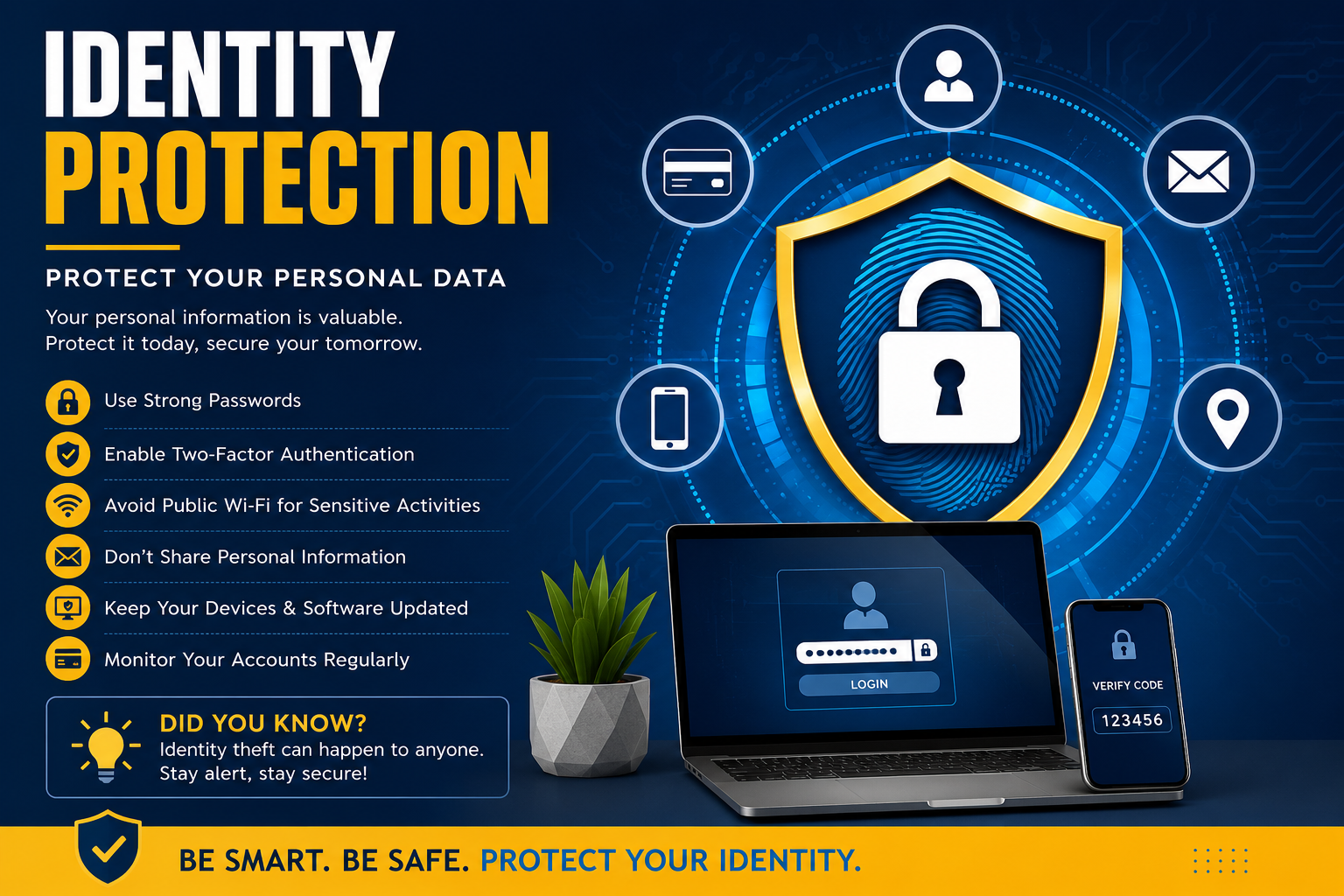
Identity Protection: Protect Your Personal Data
Identity Protection: Protect Your Personal Data
Introduction
In today’s digital world, personal information has become one of the most valuable assets. Every time you browse the internet, shop online, use social media, or even sign up for a newsletter, you leave behind pieces of personal data. While technology has made life easier, it has also created new opportunities for cybercriminals to steal sensitive information. This is why Identity Protection has become more important than ever.
Identity protection refers to the practices, tools, and strategies used to safeguard your personal information from theft, fraud, and misuse. Without proper protection, criminals can use your identity to open bank accounts, apply for loans, make purchases, or commit crimes in your name.
This comprehensive guide explains everything you need to know about identity protection, common threats, warning signs, practical prevention methods, and the best tools available to keep your personal information safe.
What Is Identity Protection?
Identity Protection is the process of securing your personal information against unauthorized access and identity theft.
Your identity includes information such as:
- Full Name
- Date of Birth
- National ID or Social Security Number
- Passport Number
- Driver’s License
- Email Address
- Phone Number
- Home Address
- Bank Account Details
- Credit Card Information
- Online Login Credentials
- Medical Records
When criminals gain access to this information, they can impersonate you for financial gain or other illegal purposes.
What Is Identity Theft?
Identity theft occurs when someone steals your personal information and uses it without your permission.
Some common examples include:
- Opening credit cards in your name
- Applying for loans
- Filing fake tax returns
- Making online purchases
- Accessing your bank account
- Creating fake social media profiles
- Using your medical insurance
According to the U.S. Federal Trade Commission (FTC), identity theft affects millions of people every year and continues to rise as cybercrime becomes more sophisticated.
Learn more:
https://consumer.ftc.gov/features/identity-theft
Why Identity Protection Is Important
Many people believe hackers only target wealthy individuals or large companies. In reality, anyone who uses the internet can become a victim.
Identity protection helps you:
- Prevent financial fraud
- Protect your online accounts
- Keep personal information private
- Maintain a good credit score
- Prevent legal complications
- Avoid emotional stress
- Secure your digital identity
Recovering from identity theft can take months or even years, making prevention much easier than recovery.
Common Types of Identity Theft
1. Financial Identity Theft
The most common type.
Criminals use stolen financial information to:
- Withdraw money
- Open bank accounts
- Apply for credit cards
- Make unauthorized purchases
2. Medical Identity Theft
Hackers use another person’s medical identity to:
- Obtain treatment
- Purchase medications
- Submit insurance claims
This can even lead to incorrect medical records.
3. Tax Identity Theft
A criminal files a fake tax return using your identity to receive a refund before you do.
4. Employment Identity Theft
Someone uses your identity to obtain employment.
This may create tax issues for the real victim.
5. Criminal Identity Theft
A criminal provides your identity when arrested.
Later, innocent victims may discover criminal records attached to their name.
6. Child Identity Theft
Children are frequent targets because their identities often remain unused for years.
Parents should regularly monitor their child’s personal information.
How Identity Theft Happens
Cybercriminals use many methods to steal personal information.
Some of the most common include:
Phishing Emails
Fake emails appear to come from trusted organizations like banks or online services.
They ask users to:
- Reset passwords
- Verify accounts
- Download attachments
- Click malicious links
Fake Websites
Hackers create websites that look identical to legitimate ones.
Victims unknowingly enter:
- Passwords
- Credit card details
- Banking information
Always verify website URLs before entering sensitive information.
Public Wi-Fi Attacks
Using unsecured Wi-Fi networks in airports, hotels, or cafés can expose your data to attackers.
Avoid logging into banking or payment accounts on public Wi-Fi unless using a trusted VPN.
Data Breaches
Companies sometimes suffer cyberattacks where customer databases are stolen.
These databases may contain:
- Emails
- Passwords
- Addresses
- Phone numbers
- Payment information
You can check if your email has appeared in known breaches here:
https://haveibeenpwned.com/
Social Engineering
Instead of hacking systems, criminals manipulate people.
Examples include:
- Pretending to be customer support
- Fake phone calls
- Fake bank representatives
- Tech support scams
Malware
Malicious software can secretly collect:
- Passwords
- Browser history
- Banking information
- Login credentials
Keep your operating system and antivirus software updated to reduce this risk.
Warning Signs Your Identity May Be Stolen
Watch for these red flags:
- Unknown bank transactions
- Credit cards you never requested
- Debt collection calls
- Missing mail
- Unexpected password reset emails
- New accounts opened in your name
- Tax return rejected because one was already filed
- Medical bills for treatments you never received
Early detection significantly reduces financial damage.
Best Practices for Identity Protection
1. Use Strong Passwords
Never reuse passwords.
A secure password should contain:
- Uppercase letters
- Lowercase letters
- Numbers
- Symbols
- At least 12–16 characters
Password managers can generate and store strong passwords securely.
2. Enable Multi-Factor Authentication (MFA)
Even if hackers obtain your password, MFA requires an additional verification step, such as:
- Authentication apps
- Security keys
- SMS codes (less secure but better than no MFA)
MFA greatly reduces the risk of unauthorized account access.
3. Keep Software Updated
Software updates often fix security vulnerabilities that attackers exploit.
Update:
- Windows
- macOS
- Android
- iPhone
- Browsers
- Antivirus software
- Banking apps
Automatic updates are recommended whenever available.
4. Monitor Financial Accounts
Check your:
- Bank statements
- Credit card transactions
- Digital wallet activity
Report suspicious activity immediately to your financial institution.
5. Avoid Oversharing on Social Media
Personal details such as birthdays, addresses, schools, and family information can help criminals answer security questions or impersonate you.
Best Identity Protection Tools
Protecting your identity requires more than just strong passwords. Fortunately, several tools can help monitor, secure, and recover your personal information if it is ever compromised.
1. Password Managers
Password managers generate strong, unique passwords and store them securely so you don’t have to remember each one.
Popular password managers include:
- Bitwarden
- 1Password
- Dashlane
- NordPass
- Keeper
Learn more:
https://bitwarden.com/
2. Antivirus Software
A trusted antivirus solution helps detect malware, ransomware, spyware, and phishing attempts before they compromise your personal information.
Popular antivirus programs include:
- Microsoft Defender
- Bitdefender
- Norton
- Malwarebytes
- ESET
Learn more:
https://www.microsoft.com/windows/microsoft-defender
3. Virtual Private Network (VPN)
A VPN encrypts your internet connection, especially when using public Wi-Fi networks.
Benefits include:
- Secure browsing
- Encrypted internet traffic
- Protection on public Wi-Fi
- Increased online privacy
Learn more about VPNs:
https://www.cisa.gov/resources-tools/resources/using-public-wi-fi-securely
4. Identity Monitoring Services
Identity monitoring services continuously scan for suspicious activity involving your personal information.
These services may monitor:
- Credit reports
- Dark web marketplaces
- Email addresses
- Social Security numbers (where applicable)
- Financial accounts
Popular providers include:
- Aura
- LifeLock
- Identity Guard
- IdentityForce
How to Protect Your Personal Data Online
Following good cybersecurity habits greatly reduces the chances of becoming a victim of identity theft.
Use Strong and Unique Passwords
Never use passwords such as:
- 123456
- password
- qwerty
- your birthday
- your phone number
Instead, use long and unique passwords for every account.
Enable Multi-Factor Authentication (MFA)
Always enable MFA on:
- Email accounts
- Banking apps
- Social media
- Shopping websites
- Cloud storage
Authentication apps are generally more secure than SMS verification.
Be Careful with Emails
Never click links from unknown senders.
Check for:
- Spelling mistakes
- Fake domains
- Urgent requests
- Suspicious attachments
If you’re unsure, visit the company’s website directly instead of clicking the email link.
Protect Your Smartphone
Your phone stores a significant amount of personal information.
Use:
- Fingerprint lock
- Face ID
- Strong PIN
- Remote wipe feature
- Automatic updates
Secure Your Home Wi-Fi
Change the default router password and:
- Enable WPA2 or WPA3 encryption.
- Disable remote management unless needed.
- Keep the router’s firmware updated.
Identity Protection on Social Media
Social media platforms are among the largest sources of personal information for cybercriminals.
To stay safe:
- Avoid sharing your full birth date.
- Do not post your home address.
- Keep your phone number private.
- Review your privacy settings regularly.
- Accept friend requests only from people you know.
- Think carefully before posting travel plans or financial information.
Identity Protection for Online Shopping
Online shopping is convenient, but it also comes with risks.
Before making a purchase:
- Shop only on trusted websites.
- Ensure the website uses HTTPS.
- Avoid saving card details on every site.
- Use secure payment methods.
- Monitor your transaction history after purchases.
Learn about safe online shopping:
https://consumer.ftc.gov/articles/online-shopping
Identity Protection for Families
Every family member should understand the importance of protecting personal information.
Parents should:
- Teach children not to share personal details online.
- Monitor children’s online activities.
- Protect family devices with passwords.
- Use parental controls where appropriate.
- Check children’s credit records periodically (where available).
Identity Protection for Businesses
Businesses handle sensitive customer and employee data every day. A single data breach can result in financial losses, legal consequences, and reputational damage.
Organizations should:
- Train employees on cybersecurity awareness.
- Encrypt sensitive data.
- Use secure backup systems.
- Conduct regular security audits.
- Restrict access based on employee roles.
- Implement Multi-Factor Authentication.
- Keep software updated.
What to Do If Your Identity Is Stolen
Even with strong security measures, identity theft can still happen. Acting quickly can reduce the damage.
Step 1: Contact Your Bank
Immediately:
- Freeze affected cards.
- Report unauthorized transactions.
- Request replacement cards.
Step 2: Change Your Passwords
Update passwords for:
- Banking
- Shopping accounts
- Social media
- Cloud storage
Enable MFA if it is not already active.
Step 3: Report the Theft
Report identity theft to the appropriate government agency in your country.
For U.S. residents:
https://www.identitytheft.gov/
Step 4: Check Your Credit Report
Review your credit report for:
- Unknown loans
- New credit cards
- Fraudulent accounts
- Unauthorized inquiries
Step 5: Monitor Your Accounts
Continue monitoring your financial accounts and online profiles for unusual activity over the following months.
Common Identity Protection Mistakes
Many identity theft incidents happen because of simple mistakes.
Avoid these common errors:
- Reusing the same password everywhere.
- Ignoring software updates.
- Clicking unknown email links.
- Using public Wi-Fi without protection.
- Sharing excessive personal information online.
- Downloading apps from unofficial sources.
- Ignoring security alerts.
- Leaving devices unlocked.
Emerging Technologies in Identity Protection
Technology is rapidly changing the way we secure digital identities.
Artificial Intelligence (AI)
AI helps detect unusual login attempts, suspicious transactions, and fraudulent behavior in real time.
Biometrics
Many devices now use:
- Fingerprints
- Facial recognition
- Iris scans
- Voice recognition
These methods offer an additional layer of security beyond passwords.
Behavioral Authentication
Some systems analyze how users:
- Type
- Move the mouse
- Hold their phone
- Interact with applications
If behavior changes significantly, additional verification may be required.
Zero Trust Security
Organizations increasingly follow the “Never Trust, Always Verify” approach, requiring continuous authentication rather than assuming a user is trustworthy after logging in.
Frequently Asked Questions (FAQs)
What is identity protection?
Identity protection refers to the strategies, tools, and services used to prevent identity theft and safeguard personal information from unauthorized access.
Can identity theft be prevented completely?
No system is completely foolproof, but following cybersecurity best practices can significantly reduce your risk.
Is antivirus software enough?
No. Antivirus software is only one part of a comprehensive identity protection strategy. You should also use strong passwords, MFA, secure networks, and regular account monitoring.
Should I use a password manager?
Yes. Password managers make it easier to create and store strong, unique passwords for every account.
What is the safest way to use public Wi-Fi?
Avoid accessing sensitive accounts on public Wi-Fi. If necessary, use a trusted VPN and ensure websites use HTTPS encryption.
Final Thoughts
As our personal and financial lives become increasingly digital, protecting your identity is no longer optional—it is essential. Cybercriminals constantly develop new techniques to steal personal information, making awareness and proactive security more important than ever.
By practicing good cybersecurity habits, using strong passwords, enabling Multi-Factor Authentication, keeping software updated, monitoring your accounts, and staying informed about the latest threats, you can significantly reduce the risk of identity theft.
Remember, identity protection is not a one-time task. It is an ongoing process that requires regular attention and responsible online behavior. Investing a little time in protecting your personal data today can save you from financial loss, emotional stress, and lengthy recovery efforts in the future.
For more: click here